
ImageOptim Changelog
1.3.1 alpha
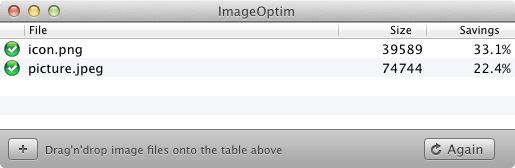
- Placeholder for drag'n'drop area
- Running tools are immediately stopped when corresponding files are removed from the list
- ⌥-click “Optimize again” to optimize only files that have previously been optimized successfully
- ⌥-click “Delete” menu option to remove completed files
- ⌘⌫ as well as ⌫ and ⌦ remove files from the list
1.3
Major improvements in this release have been done by Reinhard Möller. Big thanks!
- QuickLook integration
- Added ability to copy, paste and drag files out of ImageOptim's window
- Button to reveal files in Finder
- UI improvements for OS X Lion
- Fixed updating of file paths in preferences
- Danish localization (thanks to Rasmus Kjær)
- Spanish localization (thanks to Ben Pollard and Wayne Hartman)
1.2.6
- Cosmetic UI fixes for OS X Lion
- Dropped support for PowerPC
- Dropped support for Mac OS X 10.5 Leopard. Snow Leopard or Lion is required
1.2.5
This is the last version that supports Mac OS X Leopard or PowerPC.
- Portugese localization (thanks to Sérgio Miranda)
- Russian localization (thanks to Nicom)
- Updated to Gifsicle 1.60
- Updated to OptiPNG to 0.6.4
- Updated to Pngcrush to 1.7.12
1.2.4
- Italian localization (thanks to Fabio Sanna)
- German localization (thanks to Alexander Mayer)
- Updated versions of Gifsicle and OptiPNG
- Fixed saving of AdvPNG-optimized images
1.2.3
- Changed UI to match Leopard aesthetics (based on design by Martin Andersson from Auforia and Chris Messina)
- Added Dutch localization by Mathias Bynens
- Status column is sortable
- Write errors are now properly reported
- 64-bit and Snow Leopard compatibility improved
Current version of ImageOptim requires Mac OS X 10.5.8 or newer. If you have older system you should either update it or use older version of ImageOptim.
1.2.2
- Added French localization by Mathias Richter
- Added modified version of optipng that clears dirty alpha transparency (RGB components of fully transparent pixels)
- Added Gifsicle for optimisation of animated GIF files (use PNG instead of static GIFs!)
- Added tools menu for quick disabling/enabling of tools used
1.2.1
- Fixed progress indicator
- Updated Polish translation
1.2.0
- Leaner and more stable thanks to new Leopard APIs
- Can handle order of magnitude more files at once
- Avoids writing many files to disk at the same time
- Checks actual file type rather than rely on filename extension
- PNGOUT may be gracefully stopped if takes too much time to optimize
- Temporary files are cleaned up on exit
- Errors during optimisations don't slow down or lock up ImageOptim
1.0.10
This is the last version that supports Mac OS X Tiger.
1.0.8
This is the last version that supports Mac OS X Panther.